
Is There an App That Reads Game Text Aloud? (Yes, and it works)
The short answer
Yes. Corvo Reader reads the text in your PC games aloud: press a hotkey, draw a box round any text on screen, and a natural voice reads it. No mods, and the free plan needs no card.
If you've ever found yourself googling "is there an app that reads game text aloud" — you're not alone, and you're not lazy.
PC games have never had more text. Grand strategy games like Europa Universalis, Crusader Kings, and Victoria 3 have millions of words of lore, events, and dialogue. CRPGs like Baldur's Gate 3 and Pathfinder have entire novels worth of story. Even survival games like Rimworld tell emergent stories through walls of text.
And most of us are just clicking through it.
Sometimes it's reading fatigue after a long day. Sometimes it's dyslexia, ADHD, or visual fatigue making a wall of text feel like an obstacle instead of flavor. Sometimes you've just played 3000 hours of EU4 and your brain refuses to process one more event popup.
Whatever the reason — you want the game to talk to you. So what actually works?
The options people usually try first
The obvious candidates are tools like Speechify, NaturalReader, or Windows Narrator. They're fine for documents and web pages. They fall apart almost immediately in games.
The problem is that these tools are built for static text — a PDF, a webpage, something you can select and paste. Games render text as pixels on screen, not as selectable HTML. There's nothing to highlight, nothing to copy, nothing for a document reader to grab onto. You end up manually copying text out of the game, pasting it somewhere, then having it read back — by which point you've already read it yourself.
Windows Narrator is even worse. It reads everything on your screen constantly, including the operating system, your taskbar, your notifications. Playing a game with Narrator on is not an experience anyone should have to endure.
There are a few free tools on GitHub built by developers who ran into the same problem — screen capture based readers that monitor a defined region and read whatever text appears there. They work, mostly. The voices are robotic. Setup requires comfort with command line tools. They break regularly when game patches update UI layouts.
What actually works in 2026
The approach that actually solves the problem is OCR-based screen reading with proper AI voices — a tool that watches your screen, reads the pixels, converts them to text, and plays it back in a voice that doesn't sound like a GPS from 2009.
The workflow that works is simple: press a hotkey, select the area of screen you want read, hear it instantly. No copy-pasting, no tabbing out of the game, no breaking your flow.
Corvo Reader (formerly Paradox Reader) does exactly this. It was built specifically for text-heavy PC games — the kind where skipping an event popup feels like a small defeat, and where hearing the French ambassador deliver an insult in an actual French accent makes the whole game click differently.
It works on anything visible on your screen — event popups, tooltips, tutorial text, dialogue boxes, quest logs. If it renders as text on your screen, it can read it. That means it works on EU5, EU4, CK3, Stellaris, Victoria 3, Baldur's Gate 3, Pathfinder, Disco Elysium, Rimworld, and any other game you throw at it.
See it in action
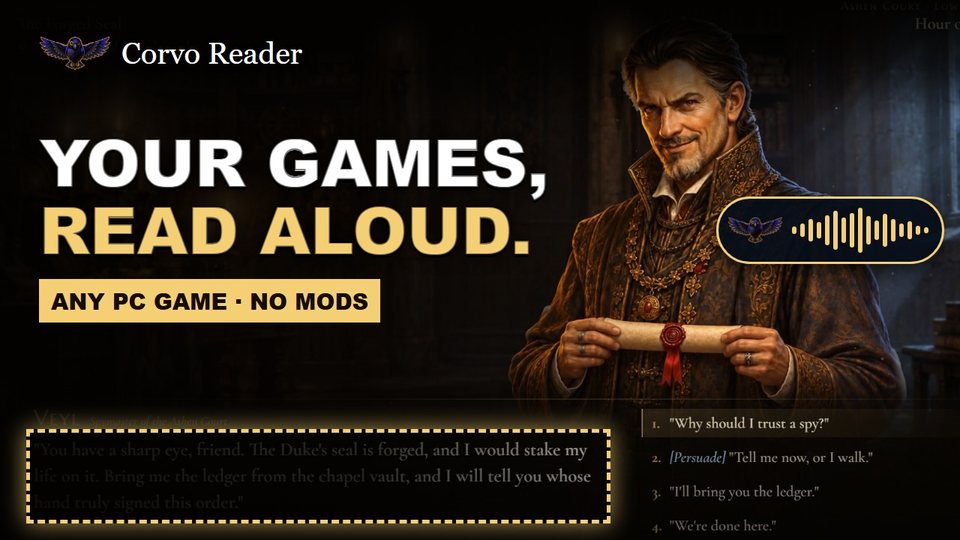 Watch the demo (1:50)
Who it actually helps
The immersion angle gets most of the attention — and it's real. Hearing an Ottoman sultan declare war on you in a deep, accented voice is a different experience than reading the same words in your own internal monologue.
But the more meaningful use case is accessibility.
Players with dyslexia describe walls of game text as a barrier, not atmosphere. Hours of a developer's craft — events, lore, character dialogue — quietly skipped because processing that much visual text is exhausting. ADHD makes it worse. Visual fatigue from long sessions makes it worse. Working a job that requires a lot of reading makes it worse.
The first person outside our team who saw Corvo Reader immediately understood the accessibility implications. She was a Special Education professional. She saw it and said this was exactly the kind of tool that changes how someone with a reading disability experiences games.
That's worth building for.
How to set it up
- Download Corvo Reader from driftworkstudio.com/corvo-reader/download
- Install and launch — it runs in the background
- Press the hotkey while your game is open
- Drag a box around the text on screen you want read
- Hear it
One setting matters: run your game in Borderless Windowed or Windowed mode. In exclusive fullscreen, Windows keeps the game's picture away from other apps, so there is nothing for Corvo Reader to read. The setting is usually in the game's video or display options.
There's a free plan with no card required: standard neural voices for 20 minutes of narration a week. Paid plans add premium AI voices. You can set up characters with their own voice and portrait, match a voice to the nation or character you're playing, or just find one you like and stick with it.
Speed, volume and the other voice settings are adjustable for each character. Event text keeps reading after you close the popup so you never have to choose between listening and playing.
The honest answer to the question
Is there an app that reads game text aloud in a natural AI voice, works on any PC game without mods, doesn't require you to tab out or copy-paste anything, and actually sounds good?
Yes. It took a while to exist, but it does now.
Try it in your own game.
Press a hotkey, draw a box round any text on screen, and Corvo Reader reads it aloud in a natural voice. Free plan, no card, no mods.
Download free for WindowsFrequently asked questions
Does Windows have a built-in app that reads game text aloud?
Windows Narrator reads everything on your screen constantly and isn't designed for gaming. It works as an accessibility tool for navigating Windows but becomes overwhelming during gameplay. A dedicated gaming TTS tool like Corvo Reader gives you hotkey control so it only reads what you tell it to.
Can Speechify read game text aloud?
Speechify is built for documents, web pages, and PDFs — not games. Games render text as pixels rather than selectable text, so Speechify can't grab it. You'd need to manually copy and paste the text, which defeats the purpose during active gameplay.
Does an app that reads game text aloud work without mods?
Yes — Corvo Reader runs outside the game entirely using screen OCR, so it requires no mods, doesn't affect achievements, and works across any game without needing game-specific integrations.
What games does Corvo Reader work with?
Any PC game with on-screen text. It's been tested extensively with EU5, EU4, CK3, Stellaris, Victoria 3, Baldur's Gate 3, Pathfinder: Wrath of the Righteous, Disco Elysium, Rimworld, and Dwarf Fortress — but it works on anything.
Is it free?
Yes. The free plan needs no card and never expires. Download it here.